Remote Work

essential-eye-care-tips-for-remote-workers
All posts, Digital Nomad Lifestyle, Remote Work

4 Essential Eye Care Tips for Remote Workers: From Screen Time to Contact Lens Safety

For many UK workers, the shift to home-based working arrangements has led to considerable improvements in work-life balance. According to the latest WFH research I have gathered in the field, remote workers, on average, enjoy more sleep and physical activity compared to their office-based counterparts. The elimination of stressful, time-consuming commutes has provided employees with more time to focus on their wellbeing, prompting some businesses to continue allowing hybrid or fully remote setups. In spite of the obvious benefits for employee wellbeing, however, studies have shown that eye health issues like digital eye strain (DES) remain prevalent in this demographic. Research published in the Contact Lens and Anterior Eye journal found that 62.6% of workers across the UK and Ireland experience DES. On average, these individuals spend 9.7 hours a day using devices, with 89.5% reporting ocular symptoms such as dryness, irritation, or blurred vision. Alarmingly, the study also noted that home-based workers were particularly prone to these symptoms, likely due to improper workstation setups and prolonged screen use. If you’re a remote worker like me, taking proactive steps to care for your eyes is essential. Below are four actionable tips to help protect your vision and reduce discomfort during your workday. 1. Pay attention to ergonomics It’s long been understood that a well-designed workspace can impact on the health, wellbeing, and productivity of its occupants. Even tiny changes like positioning your screen in a certain way can minimise musculoskeletal and ocular issues. For this, you can try positioning your screen so that its top edge is at or just below eye level and keep it at least 20-28 inches away from your face. This ensures your eyes remain at a comfortable angle and prevents unnecessary strain. As we discussed in a previous post, lighting also matters when arranging your home office. Avoid positioning your screen directly in front of or behind a bright window, as glare can cause additional strain. Instead, opt for indirect lighting and try using the NuShield anti-glare screen protector for added comfort. Finally, invest in an adjustable and ergonomic chair and desk setup to maintain proper posture, which not only benefits your eyes but also reduces neck and back tension. 2. Choose the right type of contacts If you’re among the four million contact lens-wearers in the UK, you’re aware that the drier environment of a home office can trigger eye discomfort. Central heating, air conditioning, or inadequate ventilation can all contribute to dryness, making it harder to work comfortably for extended periods. Opting for contact lenses with high moisture content, such as silicone hydrogel lenses or those specifically designed for dry eyes, can help alleviate these issues. Some brands to consider are Everclear Elite, Dailies AquaComfort Plus, and 1-Day Acuvue Moist. Everclear Elite lenses for example, have a 47% water content and feature hydrophilic material that retains moisture–perfect for those struggling with dry eyes. Additionally, make sure to prioritise proper hygiene when handling contacts. Always wash your hands when removing or putting them in your eyes and never sleep or shower while wearing contacts. 3. Blink frequently and use eye drops Long hours of staring at screens can reduce your blink rate, leading to dry, irritated eyes. A simple yet effective way to counteract this is to consciously remind yourself to blink more often. You can also use artificial tears or lubricating eye drops to maintain moisture and relieve dryness during your workday. According to the NHS, eye drops with 0.2% sodium hyaluronate, such as those by Kent Pharma, protect the eye from irritations such as contact lenses and dry air. For optimal results, follow the 20-20-20 rule: every 20 minutes, look away from your screen at something 20 feet away for at least 20 seconds. This practise helps relax your eye muscles and reduces the risk of fatigue. 4. Schedule regular eye exams A survey commissioned by Eye Health UK reveals that as many as 19 million British are failing to undergo regular eye tests. In response to these findings, the organisation emphasised that routine eye tests are essential for the prevention of poor health in identifying both issues with sight, as well as other chronic conditions. If you work remotely, it’s especially important to stay on top of your eye health, as prolonged screen use can exacerbate existing issues like myopia or dry eye disease. Aim to visit your optometrist or ophthalmologist at least once every two years—or more frequently if you experience persistent discomfort or vision changes. Regular checkups ensure your eyes remain in top condition and help you maintain long-term productivity and comfort. By paying attention to ergonomics, selecting the right contact lenses, using eye drops, and undergoing routine eye tests, you can reduce the risk of digital eye strain and protect your vision for the future. Small changes in your daily routine can make a significant difference, ensuring that your work-from-home setup supports your overall health and productivity.

how-to-successfully-create-and-sell-online-courses-2.
All posts, Make Money Online, Remote Work

How to Successfully Create and Sell Online Courses

Creating and selling courses online is now not only affordable but also an extremely effective way to position yourself as an expert in your niche. The Internet has long opened unlimited opportunities for us. So, why not use it to share your knowledge and skills with the global community? However, success in this endeavour increasingly requires not only high-quality material but also a strategic approach to its creation and course marketing. That is why it is important to know and be guided in what is needed to create your own online course successfully and market it. Course Concept Creation The first thing you need to do when you create a digital course is to clearly define its concept and the ultimate goals that the user will achieve. Therefore, you need to: clearly define your target audience, research your TA thoroughly. This will help determine their needs and expectations from the course. According to the data obtained, determine: the topic of the course, what subtopics it will consist of, the format of the workshop, the level of complexity of the course, perhaps it will have several variations in terms of difficulty levels. Course Content Creation and Technical Considerations 1. How to Make a Course to Sell Develop a detailed course plan, including all the necessary subtopics and materials. It is vital to keep in mind the variety of content formats. It can be both video lessons and text materials. As well as tests, assignments for independent work, etc. Regardless of the format, it is essential to organize all this in a way that is not overloaded with information and at the same time provides comprehensive material on the key topic. To do this, divide the course into blocks and sub-blocks. If possible, add relevant visualizations and graphic elements to highlight key points. It is crucial that they are relevant to the topic and do not overload it. Likewise, they should not draw attention to themselves, but rather be a logical complement to the main material and help it to be understood more easily. It is not uncommon to find yourself needing to record the screen when you are explaining something to your audience. You may also want to insert certain moments from the current online recording into a future course. To do this, you will need to choose the best screen recording software. This is often a key element in creating high-quality content for your online course. For Mac users, apps to screen record on Mac, like QuickTime Player, Camtasia, and ScreenFlow, offer excellent opportunities to create professional video tutorials. Other screen recorders for Mac include OBS Studio, Screencast-O-Matic, and others. They will help you create video tutorials that will be of high quality. It will also emphasize your professional approach to the business. 2. Platforms for Hosting Choosing a platform to host a workshop is an equally important step after course creation. The most trusted course platforms are those that have already proven themselves and continue to be very popular. These include Udemy, Coursera, and WordPress-based LMSs. Whichever platform you choose, take your choice seriously, considering your capabilities. Before choosing, pay attention to the commissions, marketing opportunities, and functionality of a particular platform. Marketing and Promotion of the Course Creating a course is only the first step. Next, you place it on a certain platform. However, selling courses online requires effective marketing and promotion if you want to make your training programs popular. This is equally critical for attracting an audience. Use social media and advertising. Don’t forget to collaborate with influencers to promote your content. 1. Advertising Online advertising is a super effective way to attract new participants to your course. You can use a variety of platforms to run ads. These include Google Ads and Facebook Ads. It can also be LinkedIn Ads. It is essential to set up your ad campaigns correctly. To do this, consider: your target audience, your budget, the goal of the campaign. 2. Using social media Social media has proven to be a powerful tool for promoting businesses regardless of their size. The same can be true for your course. Create a course page on popular social networks. Instagram, Facebook, LinkedIn, Twitter. Post engaging content that will attract the attention of your future audience. It can be: short videos, quotes from the course, announcements of upcoming webinars or promotions, etc. 3. Collaboration with influencers Collaborating with bloggers and other influencers can help bring additional, needed attention to your learning program. That is why you should try to look for personalities who have a large audience in your niche and are ready to recommend your course to their subscribers. This can be through promotional posts or joint projects. 4. Analysis and Improvement Never forget to analyse the results of your marketing strategy. Otherwise, you can’t improve it. Use analytical tools and determine the effectiveness of each promotion channel. This way, you can adjust your actions in time to achieve the best results. Closing Thoughts Creating and selling online courses is a promising trend in modern society and, accordingly, in the contemporary educational process. Given the vast possibilities of the Internet and the growing demand for quality education, a successful course can become not only a source of profit but also a tool. A tool for development and influence. For that, we sincerely wish you success in this field and inspiration to create high-quality material.

how-to-become-a-digital-nomad-with-no-experience
All posts, Digital Nomad Lifestyle, Make Money Online, Remote Work

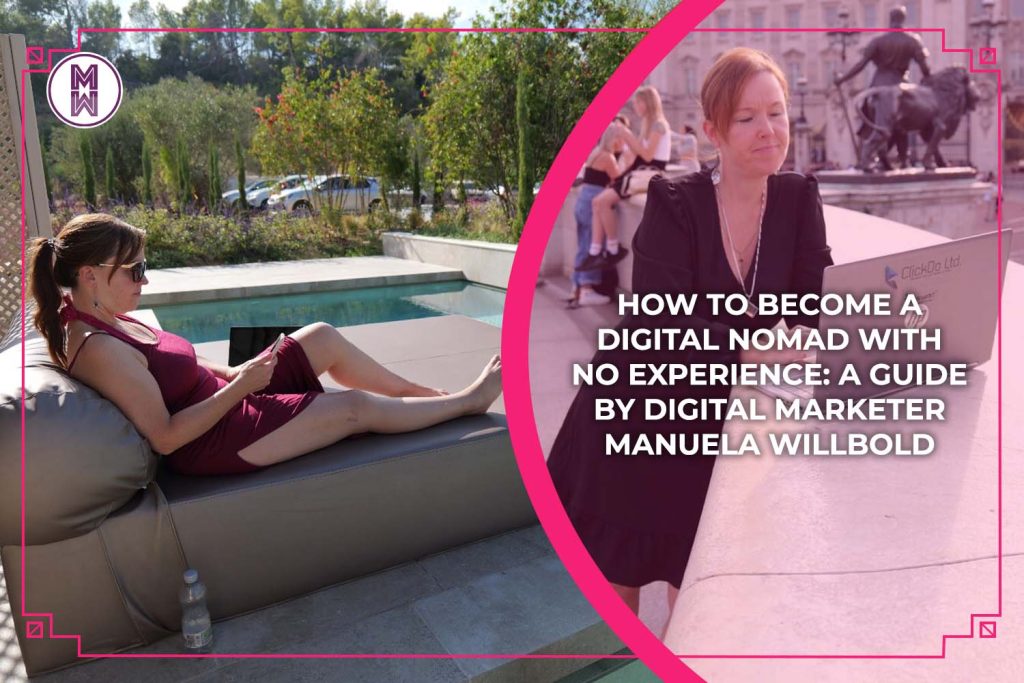
How to Become a Digital Nomad with No Experience: A Guide by Digital Marketer Manuela Willbold

Have you ever dreamed of working from anywhere in the world, without being tied to a specific location or a fixed schedule? Do you want to explore new cultures, learn new skills, and enjoy more freedom and flexibility in your life? If so, you might be interested in becoming a digital nomad like me. Who is a digital nomad? A digital nomad is someone who uses technology to work remotely while travelling or living in different places. Digital nomads can work from home, co-working spaces, cafes, hotels, or anywhere with a reliable internet connection. They can choose their hours, projects, and clients if they deliver quality work and meet deadlines. What does it take to become a digital nomad? But how do you become a digital nomad with no experience? Is it possible to start from scratch and build a successful career as a location-independent professional? The answer is yes, but it requires some planning, preparation, and perseverance. In this digital nomad guide, I will share with you my journey of becoming a digital nomad and give you some tips and advice on how you can do the same. Don’t worry, anyone can achieve this! My Digital Nomad Story: How I Became a Digital Nomad and a Digital Marketer I have always loved travelling and learning new things. I studied education at university and later journalism and blogging in my free time while I worked as a teacher and a content writer and translator for several years. I talk about my journey in more depth here: However, at some point, I felt that something was missing in my life. I wanted more freedom, flexibility, ownership, and challenge in my work. I wanted to be able to work from anywhere in the world, without being limited by geography or time zones. That’s when I discovered the concept of digital nomadism. I was fascinated by the idea of combining work and travel and being able to earn money online while pursuing my passions. I decided to take the plunge and quit my teaching job to become a full-time digital marketer with ClickDo. This was only possible because I’d worked part-time for ClickDo previously, learning the SEO and digital marketing skills that would eventually get me the job of a full-time senior marketer at the agency. Digital marketing is one of the most popular and lucrative fields for digital nomads. I had some basic skills in writing, editing, blogging and social media when I started to work for ClickDo, but I knew that was not enough to land me a decent full-time job online with the salary I wanted. I needed to learn more about SEO, content marketing, email marketing, web design, analytics, and other aspects of digital marketing. I achieved this through learning by doing basically. I learned all about WordPress, SEO, blogging and digital marketing through the guidance of ClickDo’s CEO Fernando Raymond along with online tutorials and SeekaHost University courses. The courses are taught by ClickDo marketing and SEO experts who have years of experience in the industry, and who are also digital nomads themselves. They gave me valuable insights into how to find and manage clients and projects and grow my portfolio online. The journalism course I did for one summer holiday when I was off from teaching also gave me access to a supportive community of fellow students and mentors who helped me improve my writing, research, and journalistic skills. They gave me feedback on my assignments, answered my questions, and shared their own experiences and tips on working as writers, journalists, and even digital nomads. All these experiences encouraged me to start my blog, manuelawillbold.com, where I could showcase my work and build my brand online.   View this post on Instagram   A post shared by Manuela Willbold (@manuw_blogger) On top of my basic pay, I get paid commissions, so I gradually built up a growing stream of income from making additional sales for ClickDo. I built blogs and magazines for ClickDo that would offer guest posting and PR services, which would serve as additional income sources besides client work. Parts of my daily work include content writing, editing, proofreading, SEO, social media marketing, email marketing, web designing, and SEO consultancy for clients around the world. Some of them are small businesses or startups that need help with their online presence or marketing. Other established brands or agencies outsource some of their work to me. Here’s more about my life as a digital marketer and nomad in London: I also started to hire more freelancers as my workload increased. I now work with content creators and publishers, email and social media marketers, salespeople, and web designers to delegate tasks so that we can scale our operations in digital marketing and website monetisation. Thanks to these developments, I can grow my income and reputation as a digital marketer. I constantly learn new skills and expand my portfolio with more diverse and challenging projects, new collaborations, and partnerships, which in turn enable me to charge higher rates for my work and negotiate better terms with my clients. Nowadays, I earn enough money online and remotely to support myself and fund my travels around the world. I have visited over 30 countries and plan to visit many more while working remotely from anywhere I want as a digital nomad. How you can become a digital nomad with no experience As a digital nomad, you can work from home, cafes, co-working spaces, hotels, or anywhere with a reliable internet connection. You can also travel as much or as little as you want if you’re self-employed or depending on your and your employer’s preferences and budget. But is it possible to start this lifestyle without having any prior skills, work, or education in the online world? Yes, you can, and I will guide you through the steps you need to take to become a digital nomad with no experience. I will also highlight some of the necessary skills, work and

beste-methoden-in-deutschland-online-geld-zu-verdienen
All posts, Make Money Online, Remote Work

Wie man in Deutschland online Geld verdient (9 bewährte Optionen)

Das Konzept der Arbeit von zu Hause oder Remote-Arbeit war noch vor einem Jahrzehnt fast unvorstellbar und viele konnten sich nicht vorstellen, Online-Jobs in Deutschland zu haben.  Jetzt gilt es als die neue Normalität, vor allem seit dem Lockdown aufgrund der globalen Covid-Pandemie. Das Internet hat neue Perspektiven eröffnet und online zu arbeiten, bedeutet keine langen Arbeitswege mehr, gefolgt von längeren Arbeitszeiten. Ich habe beschlossen, den UK Education Blog im Jahr 2018 als Nebenbeschäftigung zu starten, während ich Vollzeit als Pädagogin arbeitete. Es hat mir ermöglicht, jetzt Vollzeit als Blogger und Medienstrategin für ClickDo Ltd. zu arbeiten, während ich einen digitalen Nomaden-Lebensstil lebe. Und ja, ich liebe es! Lese hier alles über meinen ersten digital inspirierten Sommer 2018. Du kannst eine profitable Karriere von deinem Sofa aus starten, arbeiten, wann du willst, deine Freizeit flexibel genießen und etwas bewirken. Du kannst sogar ein digitaler Nomade oder digitaler Unternehmer werden. Es ist einfacher denn je, solange du einige digitale Fähigkeiten wie SEO, digitales Marketing oder einfach die Verwendung von Microsoft Office und einem Webbrowser erworben hast. Du kannst so einfach diese digitalen Fähigkeiten mit Tausenden von YouTube-Tutorials oder der SeekaHost University erlernen, wo ich einen Kurs über SEO-Copywriting erstellt habe. Ich teile auch viele Tipps auf dem SeekaHost Blog, dem ClickDo Blog und dem Blogger Tipps und Tricks Blog zusammen mit anderen talentierten Experten.  Was ist der beste Online-Job in Deutschland? Seit einigen Jahren arbeite ich online von zu Hause aus als Texter, Blogger und Medienstrategin. Ich habe viele Anleitungen zum Online-Geldverdienen geschrieben, die ich in diesem Artikel teile. Und weil ich eine Deutsche bin die in England lebt, habe ich den deutschen Online-Job- und Arbeitsmarkt recherchiert, um zu zeigen, wie einfach es ist, in Deutschland online Geld zu verdienen. In England ist es bereits lange ein lukrativer Markt, wie ich hier genauer beleuchte: SeekaHost University Guide For Students: How To Make Money Online 48 Home Business Ideas Guide Entdecke die Möglichkeiten in Deutschland, einem Land voller gutbezahlter Online-Jobs, die sich etabliert haben und die perfekt zum Einstieg ins digitale Nomadentum sind und die auffindbar sind auf online Jobbörsen wie Zuhausejobs.com zum Beispiel. Die bewährtesten Online-Jobs in Deutschland 1. Übersetzer Dies ist der perfekte Job, wenn du Englisch und Deutsch oder eine andere Sprache in Kombination mit Deutsch gut beherrschst. Die Übersetzung ist mit dem Wachstum des Welthandels zu einer wichtigen Aufgabe geworden. Fast alle Geschäftsdokumente, Urkunden, eidesstattlichen Erklärungen, Memoranden usw. müssen ins Englische übersetzt werden, um sie unter internationalen Kunden zu verbreiten. Es hilft, wenn du ein Diplom oder einen Abschluss in der englischen Sprache oder Zielsprache hast, aber es ist nicht obligatorisch. Natürlich müsstest du ohne Zertifizierung deine Kenntnisse des Englischen oder der Zielsprache für die Übersetzung in den ersten Projekten nachweisen. Wenn deine Arbeit gut genug ist, dann schwindet mit Erfahrung, einem großartigen Fallstudienportfolio und positiven Kundenbewertungen die Notwendigkeit einer Zertifizierung. Einige Online-Job-Websites und Suchmaschinen bieten dir auch die Möglichkeit, deine Fähigkeiten durch Tests zu präsentieren, die sie anbieten. Dies kann die Vertrauenswürdigkeit erhöhen. Von größter Bedeutung ist das Verständnis, dass ein Übersetzer nicht nur Worte übersetzt, sondern auch Inhalte und Botschaften, die ein Unternehmen oder Kunde vermitteln möchte. Dein Webinhalt muss beispielsweise mehr als die Summe der verschiedenen Inhaltsteile sein und die Stimmung des Originals widerspiegeln, aber mit einem passenden kulturellen Blickwinkel. Deutsche Übersetzungsdienste decken verschiedene Sektoren wie Recht, Gesundheitswesen und Finanzen ab, über die du mehr recherchieren musst, wenn du dich auf diese Übersetzungsfähigkeiten spezialisieren möchtest. Die oben genannten Branchen erfordern, dass du eine Ausbildung absolvierst, die auf den Bereich zugeschnitten ist, bevor du dich als zertifizierter oder vereidigter deutscher Übersetzer bewerben kannst, um eine Karriere in diesen Branchen zu beginnen. Mit über 130 Millionen Dolmetschern und etwa sechs Ländern, die Deutsch als Amtssprache haben, kannst du sicher sein, dass es als Übersetzer immer eine Nachfrage geben wird. Hier ist das Interview, das ich mit meiner engen Freundin Alexandra Bekavac geführt habe, die in Deutschland vereidigte Übersetzerin ist, um mehr über ihre Reise zu erfahren und wie sie ihren Lebensunterhalt mit dem Übersetzen von zu Hause aus verdient: Britischer und deutscher Humor sind sehr unterschiedlich. Wenn also eine Kundenwebsite einen Witz oder einen lustigen Slogan präsentieren würde, wäre es deine Aufgabe, es in beiden Sprachen lustig klingen zu lassen. Als ich half, Inhalte und Dokumente für eine schweizer-deutsche Bildungswebsite namens Bambino Learncare ins Englische zu übersetzen, war dies aufgrund der Unterschiede in den nationalen und regionalen öffentlichen und politischen Systemen, die die Bildung beeinflussen, eine Herausforderung. Aus dem Deutschen zu übersetzen bedeutet also, dass du nicht nur für Deutsche, sondern in  einigen Fällen auch für Österreicher oder Schweizer sprichst, was spannend ist und viele weitere Online-Arbeitsmöglichkeiten eröffnen kann. 2. Blogger Das Erstellen einer eigenen Domain und eines Blogs ist außergewöhnlich erfüllend und kann engagierte Blogger gut bezahlen. Der erste Schritt besteht darin, zu lernen, wie man einen Blog startet, genau wie ich es durch WordPress getan habe, und ich erkläre, wie du in nur einem Tag mit dem neuen Blog Hosting Control Panel  der SeekaHost App beginnen kannst: Wenn du eine Leidenschaft für etwas hast, teile es mit der Welt und werde bezahlt, wenn andere deinen Blog besuchen. Wenn du mehr darüber erfahren möchtest, wie du einen Blog monetarisieren kannst, lese dir hier meinen umfangreichen Blogging-Monetarisierungsleitfaden durch: Natürlich müssen deine Blogbeiträge viele Leser anziehen, um Geld einzubringen. Du solltest daher professionelle SEO- und Blogging-Fähigkeiten haben, um die Beiträge auf Suchmaschinen hoch zu platzieren, damit die richtigen Leute sie finden. Du kannst an Online-Kursen der SeekaHost University teilnehmen, um diese Fähigkeiten zu lernen. Ich habe WordPress Hosting verwendet, um schnelle Ladegeschwindigkeiten für meine Webseiten zu erzielen, was das Ranking ebenso beeinflusst.  Mit dem SeekaHost Control Panel kann ich meine Website-Statistiken verfolgen und analysieren. Schaue dir meine Analyse hier an: Sobald du deinen Blog erfolgreich aufgebaut hast, was Monate dauern kann (Tipp: Finde viele nützliche WordPress-, SEO- und Blogging-Tutorials auf dem SeekaHost YouTube-Kanal), ist es an der Zeit, ihn durch SEO, Social Media Marketing und Gastbeiträge zu bewerben. Dies stellt sicher, dass du genügend Leser anziehst, so

home-office-setup-for-remote-work-during-emergency-lockdown
All posts, Digital Nomad Lifestyle, Remote Work

My Home Office Setup for Remote Work During The Emergency Lockdown

It’s a time of change, it’s a time of novelty. Now that working from home, telecommuting or working remotely is a new reality for many due to social distancing and lockdowns, I am preparing myself to teach and blog from my living room for the foreseeable near future. Recent studies show that remote employees that work online from anywhere are far more productive than in a standard office as they require less time to get ready or commute to work. Let’s see if I can put this theory to the test while creating a comfy home office with hopefully the best home office layout design I can come up with. Analysis of my Current Work Situation at School and Home So far, I have mainly taught in the classroom on a daily basis so this was my main work place. Here, I would have a desk with a laptop and I would spend probably one to two quarters of my day documenting, communicating and sharing my classroom work on the computer. The rest of the work day would be actively teaching, preparing activities, cleaning or tidying and of course most importantly interacting. I have therefore never really set up a so called home office. I usually work on my laptop when blogging, sitting on my sofa, my bed or my bean bag when I am at home. With the majority of my time being spent using the computer during this isolation period, I probably will have to change that. Because apparently posture and efficiency are better in a properly set up home office. How to rearrange the Home and Routine for a better Home Office Experience? Online orders have shot up during national lockdowns and so it is only natural that I start to browse Amazon and Co. for some home office equipment. However, I don’t want to rearrange my whole living room, so I try to look into options to use the furniture I already have and how to optimise it. What can I change in my living room/main home office space? I have a dining table and an office chair. It’s a good height and provides sufficient space. During the first few days I work from here. I feel good, I hold video conference calls and write documents, emails, articles, but somehow I don’t enjoy facing the wall opposite me. I remember that I have an empty space next to my big balcony window with a view out to Canary Wharf. I purchase a foldable home office desk with two slim tables that are adjustable in height and wheels so that it is mobile. I create space for all my things and I feel better looking out the window every now and then and enjoying the light coming in. Another plus is that I’m not next to the fridge any longer, which is tempting to eat more and take more short breaks. Maybe because I am “locked in”, I have more of a desire to look out. I improve my posture by alternating between working while sitting and standing up whenever I feel a need to. This also helps me from getting a stiff neck and back, which I tend to get easily. In between I can stretch or do a few yoga poses to refresh my body and mind. What else to consider apart from the office space? Since I won’t spend much at this stage, I want to focus on the basics plus the non-material aspects. Light Looking at the light, I feel having the desk by the window is a good choice as I’m utilising the natural light as much as possible. I won’t really need a desk lamp for most of the day and by that I also save energy. The sunlight streaming in doesn’t cause any disruption as my desk is in front of the wall, so not directly in the sun. We all know that natural sunlight has a lot of health benefits like being a good source of Vitamin D or increasing energy levels and productivity, so I’m happy with this decision. Space Organisation Taking a look at the organisation of the space around my desk, I have everything I might need to grab or get near me on my shelves. By that I’m avoiding time loss to fetch documents, gadgets or office tools. It’s not cluttered, but organised in different drawers and shelves, so it’s easily available. Nutrition and noise My living room is open plan and the kitchen is part of it. The good thing about it is that I don’t have to go far to grab a drink or food. The bad thing is that it can be tempting to take more snack breaks. However, staying hydrated throughout the day is important for a good performance level. And obviously eating healthy and light meals, so having fruits and vegetables handy should do the job. The other aspect is noise. There aren’t many loud noises around me usually, but of course, preparing food in the kitchen can be distracting. If that was the case, I could consider wearing headphones, playing my music playlist on Spotify or my audio book on Audible. Another tip for people who work better with white noise are sites like Coffitivity or Noisli for background noise that improves focus and productivity. Movement As already mentioned, my adjustable desk allows me to stand up instead of sitting when I feel like it. While standing I could make calls, hold video chats and virtual meetings or record videos such as tutorials. Writing also works while standing, but works slightly better when being seated I feel in terms of my posture. Because my office desk is mobile, I can move it around in my living room, which enables me to watch something on my laptop while cooking for example. However, it is also important for me to allocate time slots where I stretch, do some yoga or a quick workout. Scheduling I realise that I need to

Scroll to Top