Web Hosting

n8n-vps-hosting-digital-assistant-for-marketing-agencies
digital marketing, Web Hosting

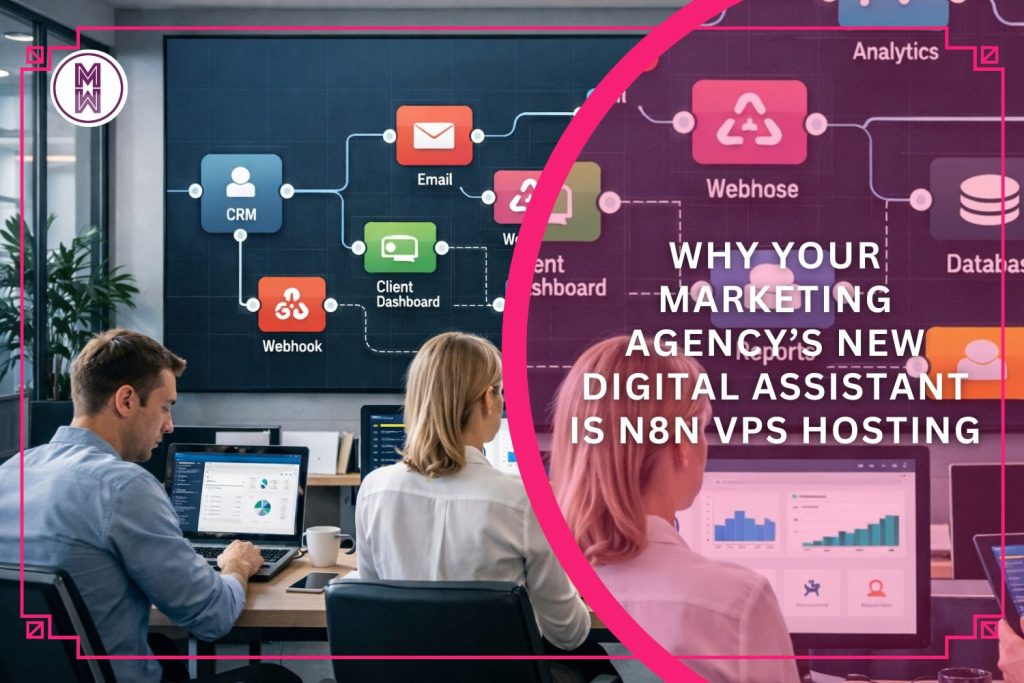
Why your Marketing Agency’s new Digital Assistant is N8N VPS Hosting

If you run a digital agency, you know how quickly operations can get swamped by repetitive tasks — new orders, customer emails, data exports, inventory updates, CRM changes, marketing campaigns, reporting, and more. What if much of that could happen automatically, reliably, and behind the scenes — freeing your team to focus on strategy and growth? That’s exactly what n8n VPS hosting makes possible and I want to explain what n8n is, how a VPS hosting setup helps deliver on its promise, and why SeekaHost’s n8n VPS hosting is an especially smart fit for agencies considering the constantly evolving face of marketing. What is n8n & how does it work? n8n is a workflow automation platform. It lets you connect apps, services, and tools together so that tasks that once required manual effort can run automatically. Think of it like a “digital assistant” for your internal processes. No coding needed (unless you want). With a visual, node-based interface, you can build workflows — or “recipes” — by dragging and dropping modules. That means even non-developers (e.g. project managers, operations staff, marketing team members) can set up automations according to freecodecamp.org. Connect nearly anything. n8n supports integration with hundreds of apps and services — from CRMs and email platforms to e-commerce tools, databases, payment gateways, analytics and messaging services. Flexible logic, customisable workflows. Unlike simpler automation tools, n8n lets you build complex workflows with branching logic, conditionals, loops, data transformations — ideal for real-world business needs like order processing, lead nurturing, data syncing, and more as AltexSoft explains. In short: n8n gives agencies a central hub to automate and streamline almost any repetitive task — from marketing to administration to fulfilment — without getting bogged down in spreadsheets or manual data juggling. Why hosting n8n on a VPS matters (vs simpler setups) You could run n8n from a local PC or a shared server — but that comes with severe drawbacks for serious businesses. Hosting on a VPS (virtual private server) solves many of them. Here’s why that matters for agencies: Reliability and uptime: A VPS gives you stable performance and a public IP, which means your automations (webhooks, scheduled tasks) run reliably 24/7. No more “my PC was sleeping/offline, so the order-processing didn’t run.” Security and control: With VPS hosting you get full control over your server environment — better security, data privacy, and the ability to integrate private APIs or internal tools. For agencies handling client data or dealing with customer info, that control is often essential. Scalability: As your business grows — more clients, more customers, more workflows — a VPS lets you upgrade resources (CPU, memory, storage) to match demand. This avoids performance bottlenecks and ensures automation stays smooth. Professional setup without DIY pain: Compared with self-hosting (on local machines or bare-metal), a VPS removes the headaches of port forwarding, dynamic IPs, hardware failures, and home-internet outages. That’s a big deal for mission-critical automations. For marketing agencies offering virtual marketing, those differences aren’t optional — they define whether your automation runs smoothly or fails at the worst moments. Why n8n VPS hosting is often a better fit than “plain” VPS hosting for agencies Running a “normal” VPS and hosting a website or store is great — but it doesn’t deliver the same advantages as a VPS tuned for n8n. Here are key distinctions in terms of what you need: What you need as an agency What n8n VPS hosting gives you Automations across multiple tools (CRM, orders, emails, marketing) A powerful orchestration platform connecting all tools without manual effort Handling lots of repetitive tasks reliably (order-sync, inventory, notifications, reporting) Workflows that run automatically, triggered by events or schedules, even outside business hours Data consistency and control, especially if working with multiple clients Self-hosted environment giving full control over data location and privacy Flexibility to grow and evolve business logic Ability to build complex workflows, adapt logic, integrate new systems — without being locked into rigid templates Cost-efficiency and avoiding recurring high fees for many tasks With a VPS, avoid per-workflow or per-execution costs common in managed/hosted solutions. In other words, n8n VPS hosting isn’t just “another server” — it’s a dedicated automation machine built for the real-world demands of agencies and online shops. Recent automation trends that make this more relevant than ever Automation everywhere: More businesses are embracing automation not just for marketing or IT, but for the full business lifecycle — order processing, customer support, billing, analytics, reporting, even AI-powered agents. n8n is increasingly used to orchestrate workflows across all departments. Complex workflows beyond simple triggers: Modern e-commerce and agency operations often involve branching logic, conditional flows (e.g. different workflows for different customer types or order sizes), data enrichment, API integrations, and more. Tools like n8n make these possible without huge engineering overheads. Shift toward data control, privacy and self-hosting: With increasing attention on data protection and compliance (GDPR, client confidentiality), many agencies and sellers prefer self-hosted automation rather than cloud-only SaaS. n8n’s self-hosted mode on a VPS gives them that control. Cost pressure + need for efficiency: As competition intensifies, businesses want to do more with less — automate manual workflows, reduce errors, cut overheads. n8n on VPS offers a cost-effective way to scale automation without massive recurring costs. Given these trends, investing in automation infrastructure — not just a website server — can give agencies a real competitive edge. Why SeekaHost’s n8n VPS Hosting is a strong choice for your Agency SeekaHost offers a VPS environment suited to running n8n — giving you the benefits of a stable server plus the power of n8n automation. For an agency, that means you get a hosted automation platform where you control data, workflows, integrations, and scale — but without the overhead of building and maintaining your own infrastructure. Instead of paying per workflow or per execution (like some cloud-based automation tools), you get a flat-rate server you control — which often ends up being more cost-effective, especially for high-volume operations. Using SeekaHost’s n8n VPS

why-serious-content-creators-use-vps-hosting-instead-of-cheap-shared-Hhosting.
Web Hosting

Why Serious Content Creators Use VPS Hosting Instead of Cheap Shared Hosting

Creators today operate like full digital businesses.  Their websites, portfolios, online shops, newsletters, and landing pages must load instantly and stay online no matter how many visitors arrive.  Cheap shared hosting might look attractive at the beginning, but it quickly becomes a growth blocker.  Serious creators and influencers know that their digital presence is an extension of their brand, and they choose infrastructure that reflects their professionalism. Cheap Hosting Damages Credibility the Moment Traffic Hits Shared hosting places your website on the same server as hundreds of others. When one site overloads the system, everyone suffers. Slow loading, downtime, random errors, and unstable performance all make a creator look amateur.  Followers who click through from Instagram, TikTok, or YouTube expect instant access. If your homepage takes five seconds to load, most visitors leave before seeing your work. VPS hosting solves this problem because your resources are dedicated, predictable, and unaffected by strangers on the same server. Speed Directly Affects Conversions, Sales, and Brand Perception A creator’s website is often the first real encounter a potential client has with their brand. Fast-loading pages feel premium and trustworthy. Slow pages feel low-budget and unreliable. Whether you sell digital products, offer services, run a membership site, or showcase your portfolio, speed influences how professional your brand appears.  VPS hosting unlocks higher performance by giving you more processing power, better memory allocation, and full control over optimization. This means smoother checkout flows, faster landing page rendering, and higher conversion rates. Creators Need Control, Flexibility, and Stability to Scale Shared hosting limits what you can upload, which apps you can run, and how much traffic you can handle. Serious creators need freedom to install plugins, build custom pages, use advanced analytics, set up caching, or run heavy visual content.  VPS hosting gives you the control you need without forcing you into the complexity of dedicated servers. You get a private environment, scalable resources, and the flexibility to grow your digital ecosystem without restrictions. Intermission: A Reliable Hosting Partner Makes Growth Easier Many creators choose hosting providers that support their long-term goals rather than short-term savings. Services like Host-World VPS Hosting offer stability, fast loading, and the ability to scale as a creator’s audience grows. When your infrastructure is reliable, you spend less time fixing performance issues and more time creating. It also protects revenue during traffic spikes from viral posts or major collaborations. Security Is Non-Negotiable for Modern Creators Shared hosting exposes websites to risks because one vulnerable site can compromise many others on the same server. For creators selling digital products, collecting emails, or running payment pages, security is essential. VPS hosting isolates your environment from other users on the server, reducing risks and giving you full control over firewalls, updates, and backups. This protects your data, your audience, and your reputation. Choosing VPS Means Choosing Serious Growth Creators who want to move from hobby to real business understand that the foundation matters. VPS hosting gives them the performance, security, and stability required to build a brand that lasts. It is not just a technical upgrade. It is a strategic decision that supports long-term growth, credibility, and revenue.

Make Money Online, Web Hosting, Website Management

Wie mit einer Webseite und einer günstigen DE Domainregistrierung online Geld verdienen?

OK, du hast dich sicherlich schon gefragt, wie du in Deutschland online Geld verdienen kannst. Ich habe einige Möglichkeiten bereits behandelt und möchte in diesem Beitrag darauf aufmerksam machen, dass eine Webseite mit einer .de Domain eine gute Einnahmequelle darstellen kann. Wenn du also am Überlegen bist, ob eine .de Domain für deine Webseite die richtige Wahl ist, um einen Webauftritt oder ein Onlineshop zu erstellen, dann lese weiter! Höre dir erstmal die offensichtlichsten Vorteile einer .de Domain an. Vorteile einer DE Domain Webseite Ein deutschsprachiges Publikum wird einer Webseite mit einer .de Domain sofort vertrauen, da sie i. d. R. eine Organisation oder Firma repräsentiert, die auf dem deutschen Markt etabliert ist. Die DE Domain eignet sich daher sehr gut für Websites oder Blogs, die das deutsche Publikum mit Informationen, Dienstleistungen oder Produkten und mehr ansprechen. Eine Webseite mit einer .de Domain ist sicherlich auch attraktiv für alle, die ihre Geschäftstätigkeit auf den deutschsprachigen Markt ausdehnen wollen, zu dem auch Österreich und die Schweiz gehören. Aber es gibt noch viel beeindruckendere Gründe und Motivationen mit einer DE Domain durchzustarten – lese weiter! Wie erfolgreich sind die meistbesuchten Webseiten mit einer .de Domainregistrierung? Welche Webseiten besuchst du mehrmals im Monat oder in der Woche? Ich wette, es ist mindestens eine der hier aufgelisteten Webseiten darunter! Basierend auf den aktuellsten Daten von SEMrush und Similarweb besuchen die meisten deutschsprachigen Internetnutzer die folgenden Webseiten am häufigsten: amazon.de: Die größte Online-Handelsplattform der USA erfreut sich auch in Deutschland mit über 246 Millionen Besuchern im Monat größter Beliebtheit. ebay.de: Ein weiterer beliebter US-Marktplatz für den Kauf und Verkauf von gebrauchten und neuen Waren mit über 123 Millionen Besuchern im Monat. bild.de: Die meistgelesene Boulevardzeitung in Deutschland, die über 166 Millionen Besucher im Monat anzieht. t-online.de: Nach wie vor der führende Internetanbieter mit einem Nachrichtenportal, das über 90 Millionen Besucher im Monat verbucht. ebay-kleinanzeigen.de: Diese kostenlose Plattform für lokale Kleinanzeigen erhält Klicks von über 86 Millionen Besuchern im Monat. spiegel.de: Das renommierte Nachrichtenmagazin, das über 66 Millionen Besucher im Monat erzielt. web.de: Dieser beliebte E-Mail-Dienst-Anbieter mit Nachrichtenportal erreicht über 61 Millionen Besucher im Monat. focus.de: Ein weiteres etabliertes Nachrichtenmagazin mit über 58 Millionen Lesern im Monat. chip.de: Ein populäres Portal für Technik-News, Tests und Downloads mit über 54 Millionen Besuchern im Monat. otto.de: Der große Online-Versandhändler für Mode, Möbel und mehr mit über 51 Millionen Besuchern im Monat. Eine Webseite mit einer .de Domain kann also Millionen von Besuchern monatlich erzielen mit effektivem Marketing, Branding und natürlich einem einzigartigen Angebot, das jeder deutsche Internetnutzer immer wieder gerne in Anspruch nimmt. Wenn du etwas Einzigartiges bieten und präsentieren willst, das Deutschland-Enthusiasten oder deutschsprachige Internetnutzer weltweit suchen, dann solltest du die .de Domain erwägen. Deutschland bietet als viertgrößte Volkswirtschaft mit über 80 Millionen Einwohnern, von denen über 90% Internetnutzer sind, einen sehr attraktiven Markt. Nicht überzeugt? Dann schau mal wieviel einige der beliebtesten Webseiten in Deutschland mit einer .de Domain so geschätzt einnehmen. Wieviel Geld generieren die meistbesuchten DE Webseiten online? Vorab ist es wichtig zu verstehen, dass die Einnahmen der aufgeführten Webseiten von verschiedenen Faktoren abhängen, wie z.B. dem Geschäftsmodell, der Anzahl und Art der Werbeanzeigen, den Affiliate-Links, den Abonnements und den Verkäufen. Du kannst mehr über Monetarisierungsmethoden für WordPress Webseiten lernen, um die Materie vorab besser zu verstehen. Laut dem Rechner-Tool Worth Of Web, das die Seitenaufrufe und die Umsätze berücksichtigt bei den folgenden aufgeführten Schätzungen, verdienen die meistbesuchten Webseiten mit der .de-Domain im Jahr 2023 ungefähr folgende Beträge pro Tag: amazon.de: 1.281.000 Euro ebay.de: 278.000 Euro ebay-kleinanzeigen.de: 140.000 Euro web.de: 97.000 Euro spiegel.de: 85.000 Euro Hier ist zu beachten, dass diese Werte nur grobe Annäherungen sind, da die tatsächlichen Einnahmen je nach Monat, Saison und Marktbedingungen stark schwanken können. Sie sollen eher eine Idee vermitteln, was das Potenzial einer Webseite im deutschen Markt angeht. Im Vergleich mit der weltweit beliebtesten Webseitendomain, der .com Domain, stehen Webseiten mit einer .de Domain gut da. Die größten und erfolgreichsten Webseiten wie google.com mit grob geschätzten jährlichen Umsätzen von etwa $147 – $181 Milliarden sind natürlich an der Spitze, aber im Vergleich mit amzon.de zum Beispiel, dessen geschätzter Jahresumsatz rund $169 Millionen beträgt, stellt der deutsche Markt sicherlich eine wichtige Einnahmequelle dar für alle globalen sowie lokalen Unternehmen. Hochgerechnet hat web.de rund €35 Millionen im Jahr eingenommen, was sich für ein Unternehmen, das nur den deutschen Markt bedient, wirklich sehen lassen kann. Auch hier gilt es zu berücksichtigen, dass diese Webseiten Geld durch verschiedene Quellen wie Werbung, Abonnements, Provisionen, Spenden und Verkäufe von Produkten oder Dienstleistungen generieren. Jeder, der entsprechend eine Webseite mit einer DE Domain erstellen möchte, sollte diese Faktoren berücksichtigen, um mit diesem Webauftritt erfolgreich zu sein und ein Einkommen zu erzielen. Ich empfehle daher, mit einer günstigen DE Domain durchzustarten, sowie mit preiswertem Webhosting, um hohe Kosten zu vermeiden, während die Webseite kein oder kaum ein Einkommen generiert, denn das braucht Zeit, Einsatz und vor allem Besucher, die Geld ausgeben. Wie kann man eine DE Domain günstig registrieren und online Geld damit verdienen? Der Webhost SeekaHost verkauft DE Domains zu einem niedrigeren Einstiegspreis an Neukunden, ohne später die Gebühren zu erhöhen oder zusätzliche Gebühren hinzuzufügen wie andere Hosts. Mit SeekaHost.app kannst du einen günstigen .de Domainnamen für €4,99/Jahr kaufen und die Domain flexibel verlängern für nur €8. Wie es genau geht, erfährst du in der SeekaHost DE Domainregistrierungsanleitung. Um die günstige DE Domain im Internet zugänglich zu machen, wird Webhosting benötigt. Ich habe hierüber bereits einen WordPress Hosting Vergleich veröffentlicht, der dir bei deiner Auswahl helfen sollte. Denn im SeekaPanel kannst du die neue .de Domain schnell und unkompliziert hosten in nur 5 Minuten wie ich hier erkläre:   Wenn das erledigt ist, geht es los mit der Erstellung, Positionierung und Vermarktung deiner Webseite. Denn du kannst nur online Geld verdienen mit einer Webseite, die von deinem Zielpublikum genutzt wird. Wenn du Hilfe damit benötigst, kannst du unsere kostenlosen online Kurse nutzen wie den Blog Profits Blueprint Kurs, der auf die Monetarisierung eingeht. Wenn du deine .de Domain mit SeekaHost gekauft hast, kannst du

how-to-register-domain-name-uk-and-create-wordpress-blog
All posts, Blog Writing, Blogging, Web Designing, Web Hosting

How to register a Domain Name UK & Easy Steps to create a UK WordPress Blog Site

Increasingly more people search online for information about how to register a domain name UK and create a UK WordPress blog site. But before you go ahead and register a domain name in the UK, you should consider certain important factors that can affect the success of your domain and website. According to Wikipedia the .uk domain extension also known as the country code top-level domain (ccTLD) for the United Kingdom was among the first to be registered in 1985, just a few months after the original generic top-level domain .com and the first country code after .us. This makes the .uk domain one of the oldest and most popular domains worldwide with millions of registrations. Such ccTLDs are popular among Brits as they will immediately brand your website and business as 100% British. And even for international visitors to your .uk website it will be reassuring to know where your business is based. But the .com domain remains the most popular worldwide with over 50% of all websites on the Internet using it as their extension. Other domain extensions that are just as popular as .uk are .net or .org. So, no matter which domain you end up going for in the UK, whether it is .uk, .co.uk or .com or .net, you can find a domain name with all of these TLDs with SeekaHost easily and fast. You can get a .com domain for only $5.99, which means that in Britain you will only have to invest about £4. This makes SeekaHost’s offer one of the most budget-friendly prices that you will come across in the UK. In this guide, you will learn about the important steps to search for the ideal domain name and buy it very easily at affordable rates. You will learn not only how to find and get a domain but also how to turn it into a successful blog with WordPress and the SeekaPanel. Blogging is one of the best ways anyone in Great Britain can get started online with very little investment. The world is shifting online and knowing how to build an online platform helps in many ways for more prosperity, especially in difficult economic times. Why do you need a Domain Name UK? Starting a blog or any online journey starts with a domain name. It is your virtual property on which you can build any type of business you want. In the UK you will find a more competitive web property market with 11,918,249 .uk domains registered in 2020 according to Nominet UK. However, it will still be easier and more affordable to find a .uk domain compared to a .com domain. So, let’s take a closer look at which domain names and extensions offer better career and work prospects online that you can utilize in Britain. What Domain Name should you buy as a Brit? Are you looking to create a blog? Do you want worldwide traffic from other countries? Are you going to build a local business website? Are you planning to go global in the future even if you are starting a local business website in the UK? If the answer is yes for the 1st and 2nd points, get a .com domain name that you can buy at the cheapest price at https://www.seekahost.app/cheap-com-domain-registration/. Dot com domains are the most trusted domain extensions globally for commercial websites and are therefore recommended for international business websites. You may however have to compromise on your ideal domain name as often strong, poignant and simple domain names will be taken with a .com extension, unless you have come up with a unique brand name like “ebay” or “google”. Try your luck by entering your domain name in the domain search tool inside the SeekaPanel to find out if it is available, how much it will cost, or which alternatives are available at which price. If the answer is yes for the 3rd point, get a .uk domain at SeekaHost and search for the best domain name options available. By entering your preferred domain name in our search bar inside the SeekaPanel, you will find various domain name options delivered by our domain search tool with different TLDs, so you can make the best choice. You will very likely get a .co.uk domain name for commercial purposes. If the answer is yes for the 4th point, get a .com or .net domain name as they are the best to rank in any country in Google search results. If you want more help with how to register a domain name in the UK, get in touch with me or with one of SeekaHost’s domain name registration experts so that you can find the best domain options for you. Bear in mind a few other factors before buying your domain: Review the structure of your domain name. A domain consists of a prefix (https), a subdomain (www), the main name (website), and an extension (.com, .org., .net). Ensure it sounds and looks good. The ideal domain name is short, easy to spell and memorable like “Apple”. Try to include keywords in your brand and domain name to rank it better on search engines. Avoid adding unusual symbols or hyphens as difficult to remember/spell domain names are less likely to be searched on search engines. Think carefully about the extension of your domain name as explained above. Determining factors are location, purpose/function, and type of business. Once you find and purchase the domain name of your choice, you can easily use the 1-Click WordPress installer to host it and get online fast. Now let’s look at the 5 steps to register a domain name in the UK: Visit https://www.seekahost.app/buy-domain-name/ Search for the domain name and you will land on https://www.seekahost.app/domain-name-search/ Choose the domain name and add it to the cart. Proceed to sign in or sign up if you are new to SeekaHost.app at https://portal.seekahost.app/ Enter your details and purchase the domain name. Once purchased, you can see the domain name inside the portal under the domains tab. SeekaPanel is the world’s

5 Best cPanel Alternatives for Bloggers to host WordPress Websites
All posts, Blogging, Most popular posts, Web Hosting

5 Best cPanel Alternatives for Bloggers to host WordPress Websites (including cPanel)

Are you lost in the world of web hosting control panels? I feel your pain! When I started out as a blogger and digital nomad, I had no clue about what a hosting control panel is and how it works or what it can/should do.  So, I thought I will do you a favour and present a selection of the most highly rated domain hosting control panels for bloggers by bloggers that have emerged since the first ever control panel, cPanel, was launched in 1996 and changed web hosting for its users significantly with its interface and automation tools to manage website hosting more easily.  I have used cPanel before and many web hosts, including SeekaHost where I host my websites, still offer web hosting with cPanel as it remains a market leader. However, many innovative control panels have been developed since 1996 and they offer features that cPanel doesn’t, which is why it is advisable to compare them first before choosing one.  So, without much further ado, let’s get into the matter.  What exactly is a Web Hosting Control Panel?  A web hosting control panel is a web-based graphical user interface tool used by online providers to manage their website and hosting account and their hosting servers.  Hosting control panels are one of the most effective methods to monitor all hosting services via a web browser or through a particular app based on availability.  Every hosting company offers different hosting control panels to their clients along with web hosting plans and various other features. The user experience with a domain hosting control panel differs from one brand to another.  Some control panel tasks include account administration, domain management, email management, server installation, FTP, database management, file management, and schedule back-ups, but each panel may only provide a selection of such features. Why you need a Web Hosting Control Panel & how it works?  To host domains and create websites as well as connect your website with web servers you will need to use a hosting control panel, especially if you’re not into coding.  Web hosting control panels are the platforms that provide you with an interface and tools to interact with your website’s server and they usually come with the hosting you purchase from your hosting provider. Domain hosting control panels make the website and server management much easier for people without much technological know-how and therefore everyone should use one. There are certain features that all control panels offer and some that are unique, and you should compare them first before choosing one.  Each control panel should offer at least these 3 variations: Different interface Different design Different tasks management methods Most web hosting control panels will equip you with the following features which is why you need one: Manage your website and domain  Create and use branded email addresses Access important website and hosting metrics Manage security features like SSL certificates Set up your database and blogging platform Install additional software and apps Differences in the layout and navigation can impact the user experience significantly and you should therefore test a control panel first or read reviews about it before purchasing it with your web hosting.   Your choice of choosing the best control panel may be based on the operating system and the features offered by the hosting company. Typically, Linux-based plans and Windows hosting plans are the main OS types available.  Bloggers will certainly require their chosen hosting control panel to offer the following features for the best blog hosting experience: One-Click CMS Installations supporting WordPress, Joomla! etc. DNS (domain name server) Management One-Click SSL Integration Email Hosting Because I only use WordPress for my blogs, I will list the top 5 web hosting control panels for WordPress Hosting along with their stand-out features that are a great alternative to cPanel and at the end you will also find cPanel so you can see the difference. Top 5 most highly rated Web Hosting Control Panels by Bloggers for WordPress (plus cPanel at the end) 1. SeekaPanel Website: https://www.seekahost.app/ Innovative web hosting control panel designed specifically to host WordPress websites in a few seconds – the fastest performance out there. You can host your PBNs with the best private blog network control panel on multiple IP addresses of class A, B, C. Learn more here about PBNs and PBN hosting to understand the difference between WordPress Hosting.  SeekaPanel is easy to handle, even beginners can host their sites without facing any technical difficulty with the SeekaHost App’s interface. Host your private blog networks more securely on Class C IP addresses with the SeekaPanel.  🔎 SeekaPanel is highly recommended by WordPress developers and bloggers, check the reviews below: Vashishtha Kapoor SeekaPanel Review Tech Story SeekaPanel Review Bloggers Ideas SeekaPanel Review OS: CentOS (Linux) Top Features of SeekaPanel: Unlimited access to all hosted domains with a single click Easy to monitor website’s performance data in the account Integration of Analytics tools features DNS Management  1-click SSL certificate, WordPress installation and upgrade or downgrade option for WP and PBN hosting plans One free email hosting account included Free access to WP tutorials and SEO courses offered by SeekaHost University.  Live chat support and ticket support 💰 WP Hosting from $1 and PBN Hosting from $0.95 per month – no additional/hidden fees like set up fees or registration fees, can start with 1 domain.  2. Plesk   Website: https://www.plesk.com/ Plesk is a popular user-friendly web hosting control panel designed for Windows and Linux operating systems. The Plesk administrator model is flexible for dedicated and shared hosting and its focus is on providing strong security for modern website hosting. Plesk is scalable, and secure, and it is suitable for more complex WordPress business websites and e-commerce sites with its features, hence why web developers like to use it. SeekaHost also offers WordPress Hosting with Plesk.  🔎 Not many bloggers have reviewed Plesk as it appears to be mainly used by web developers and software engineers. They share the benefits of the complex

Teste die 4 besten Web Hosting Pakete für WordPress Websites kostenlos
All posts, Web Hosting

Teste die 4 besten WordPress Hosting Pakete kostenlos für deinen erfolgreichen Blog

Es gibt viele Web Hosts für WordPress und ich habe einige getestet wie NameCheap für meine WordPress Blog. Jedoch sind die Preise des SeekaHost WordPress Hosting unschlagbar, vor allem, da es die einfachste Lösung für Hosting von WP Websites und Blogs anbietet und jede Webseite in 60 Sekunden live schaltet. Spare jeden Cent und erfahre mehr über die 4 besten WordPress Hosting Pakete, die jeder mit einer kostenlosen 7-Tage-Testversion ausprobieren und umsonst verwenden kann. Die 4 Pakete sind auf > https://www.seekahost.de/wordpress-hosting/  aufgeführt, falls du sie dir dort genauer anschauen möchtest und checken willst, wie viele Cents du tatsächlich sparen kannst im Vergleich mit anderen Web Hosting Anbietern in Deutschland. Welcher WP Plan ist für wen am besten geeignet und wie nutzt du diesen für dein bestes Webhosting Erlebnis um deine Webseite oder deinen Blog zu optimieren und auch monetarisieren? Was bieten die 4 besten Web Hosting Pakete von SeekaHost für WordPress Blogger? Dies sind die Spezifikationen für jeden WordPress Hosting Plan: Was ist der Starter Plan? Der STARTER Plan, den auch ich anfangs für diesen Blog hier verwendet habe, ist am besten für alle, die mit dem Hosting mit nur einer einfachen WordPress Webseite beginnen möchten.  Dieser bietet unter anderem: 1 WordPress Site Hosting, 2 GB Speicherplatz, 10 GB Datenübertragung, kostenlose 1-Klick WP Installer, Kostenloses SSL-Zertifikat, 1-Klick SSL Aktivierung, kostenlose WordPress Migration, Malware Scanning, DDOS Schutz, regelmäßige WordPress Backups, unbegrenzte Tracking Sites und Preise von 1,25 €/Monat. Du solltest den Starter WordPress Hosting Plan zuerst mit einer durchschnittlichen WordPress Website testen, die nicht viele komplexe Inhalte enthält und einfach zu verwalten ist. Dieser Plan ist der günstigste und erhältlich für nur 1,25 Euro monatlich. Ich würde ihn daher allen WordPress Blogger Anfängern empfehlen, die bloggen einfach mal ausprobieren wollen oder lernen wollen und nicht zu viel am Anfang ausgeben möchten. Was ist der Standard Plan? Der STANDARD Plan, mit dem du bis zu 3 WordPress Websites hosten kannst, bietet dir folgendes: 3 WordPress-Sites Hosting, 15 GB Speicherplatz, 30 GB Datenübertragung, Kostenlose 1-Klick WP Installer, Kostenloses SSL-Zertifikat, 1-Klick SSL Aktivierung, kostenlose WordPress Migration, Malware-Scanning, DDOS Schutz, regelmäßige WordPress Backups, unbegrenzte Tracking Sites und Preise von 4,75 €/Monat. Dieser Plan eignet sich für internationale Blogger oder Geschäftsinhaber, die bis zu 3 WordPress Webseiten erstellen möchten, die evtl. miteinander verbunden sind, z.B. ein Hauptblog/-webseite und zwei, die verwandte Nischeninhalte zur Unterstützung der Hauptseite aufweisen. Alle 3 Plattformen sollten nur mittelgroß sein, da dieser Plan beispielsweise nicht für E-Commerce-Sites geeignet ist. Er kostet nur 4,75 Euro im Monat und bietet daher ein gutes Preis-/Leistungsverhältnis, da du mit 3 Webseiten gute Optionen zur Monetarisierung hast, wenn du diese geschickt kombinierst für Gastbloggen und Gastposten zum Beispiel. Lerne hierzu mehr in einem meiner Artikel über die Blogs, die ich zum Gastbloggen nutze hier: Best Blogs for Guest Posting for Marketing Was ist der Wachstum Plan? Der WACHSTUM Plan erlaubt bis zu 5 WordPress Webseiten zu hosten und enthält folgende Spezifikationen: 5 WordPress-Sites Hosting, 50 GB Speicherplatz, 50 GB Datenübertragung, Kostenlose 1-Klick WP Installer, Kostenloses SSL-Zertifikat, 1-Klick SSL Aktivierung, kostenlose WordPress Migration, Malware Scanning, DDOS Schutz, tägliche WordPress Backups, unbegrenzte Tracking Sites, und Preise von 6,75 €/Monat. Der WACHSTUM Plan ist ideal für internationale Start-Up Unternehmen oder Agenturen, die bei Bedarf mehrere Websites und Blogs und einige Klienten Webseiten hosten müssen. Das Paket kann mit mehreren E-Mail-Konten und erhöhtem Speicherplatz angepasst werden, wenn du Hosting Anforderungen und Geschäftsanforderungen erweiterst oder änderst. Im Hinblick auf die vielseitigen Optionen, die dieser Plan bietet, ist er sehr kostengünstig, besonders für SEO Agenturen, SEO Berater, Online Marketing Agenturen oder Berater usw., die durch diese Webseiten ein regelmäßiges Einkommen erzielen können mit Kundenzahlungen. Was ist der Ultra Plan? Der ultimative WordPress Hosting Plan ist der ULTRA Plan, da er die höchsten Spezifikationen im Sortiment bietet: 10 WordPress-Sites Hosting, 100 GB Speicherplatz, 100 GB Datenübertragung, Kostenlose 1-Klick WP Installer, kostenlose SSL-Zertifikat, 1-Klick SSL Aktivierung, kostenlose WordPress Migration, Malware Scanning, DDOS Schutz, regelmäßige WordPress Backups, unbegrenzte Tracking Sites und Preise von 10 €/Monat. Mit dem WordPress Hosting ULTRA Plan erhältst du Fernkundensupport für alle deine gehosteten WordPress Webseiten, sodass alle deine Fragen per Live Chat oder E-Mail beantwortet werden. Dies ist der ideale Plan für alle, die große WordPress Business Webseiten oder Blogs hosten möchten, um die Flexibilität zu haben, diese auszubauen und zu erweitern. Mit dem ULTRA Paket erhältst du 100GB Speicherplatz für jede WordPress Website was eine Menge Platz bietet, um eine WordPress Website mit vielen Blogbeiträgen und verschiedenen anderen Inhalten und Medien zu hosten. Du bist vielleicht überrascht zu wissen, dass große Unternehmen wie Walt Disney oder Mercedes-Benz auf WordPress Webseiten setzen, was dessen Potenzial bestätigt. Nutze die kostenlose Testversion und finde das geeignete WP Hosting für deinen Blog Teste einen der oben genannten Pläne kostenlos, um zu entdecken, dass was du erhältst auch dem entspricht, was versprochen wird von SeekaHost. Überzeuge dich selbst und vergleiche die Leistung mit einem anderen Host oder deinem aktuellen Anbieter. Ich benutze den Markführer für WordPress Hosting, SeekaHost, schon länger und mit seinem einzigartigen Hosting Control Panel bietet es viele Vorteile, wie einfache Navigation, Tracking Datenzugriff, flexible Hosting Plan Verwaltung, schnellen Kundenticket Support, Zugriff auf die Wissensdatenbank/Tutorien und vieles mehr. Ich bin ebenfalls mit der kostenlosen Testversion eingestiegen und war so zufrieden, dass ich nie gewechselt habe. Im folgenden Video werden alle Vorteile genauer beleuchtet: Neugierig? Dann ziehe mit deiner WordPress Domain noch heute um zu SeekaHost und nutze ebenso die Vorteile, Zugang zur SeekaHost Universität zu haben, wo du mehr über SEO und Online Marketing lernen kannst. Im Blogs for Profit Kurs lernst du auch wie du Geld online verdienen kannst in Deutschland und weltweit.

Scroll to Top